Introduction
Setting the timer on your boiler helps you save energy, reduce heating costs, and keep your home warm when needed. If you’re wondering how to set timer on boiler, this guide will walk you through the process step by step. Whether you have a mechanical boiler timer, a digital boiler timer, or a smart thermostat, we’ll show you exactly how to set the timer on a boiler so you can enjoy efficient heating and hot water.
Why Should You Set a Timer on Your Boiler?
Many people leave their boiler running all day, wasting energy and increasing bills. By learning how to set a timer on the boiler, you can:
- Ensure your heating and hot water turn on only when needed.
- Keep your home energy efficient by avoiding unnecessary heating.
- Reduce heating costs without sacrificing comfort.
- Enjoy a warm home in the mornings and evenings without adjusting the settings daily.
Now, let’s explore how to set the timer on the boiler based on your type of timer.
Types of Boiler Timers and How They Work
Before you start, check which type of timer on a boiler you have:
- Mechanical Boiler Timer: Features a 24-hour clock dial with small pins at the times you want the boiler to turn on.
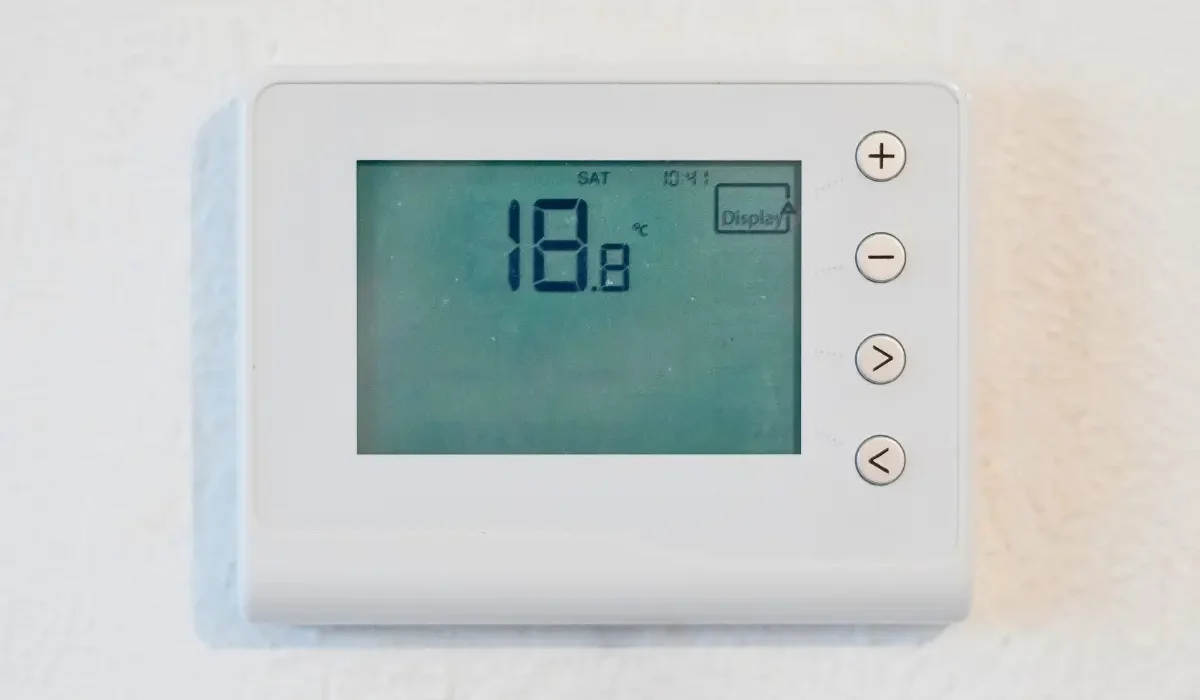
- Digital Boiler Timer: This allows you to program the days and times precisely using a screen.
- Smart Thermostat: Connects to WiFi and lets you control your heating remotely via an app.
Each type works differently, so follow the instructions below based on your boiler timer.
How to Set a Mechanical Boiler Timer (Dial Timer)
A mechanical boiler timer is easy to use. It has a round dial with a 24-hour clock and small pins around the edge. Follow these steps to set the timer correctly:
Step 1: Set the Correct Time
Turn the dial until the arrow is pointed to the correct time. For example, if it’s 7:00 AM, align the dial to 7:00 AM on the clock.
Step 2: Choose Your Heating Times
Push the pins in when you want the boiler to turn on. Each pin represents 15 minutes. For example, if you want heating from 6:00 AM to 8:00 AM, push in all the pins between 6 and 8.
Step 3: Switch to Timer Mode
Ensure the timer switch is set to automatic/timer mode, not manual or always on.
Step 4: Check Your Settings
Your boiler will turn on and off automatically at the times you set. If it doesn’t, check if the dial is moving – if not, the timer may be faulty.
✅ Best for: Homes with a fixed heating schedule (e.g., morning and evening use).
How to Set a Digital Boiler Timer
A digital boiler timer offers better control over your heating schedule. Here’s how to set it up:
Step 1: Find the Program Button
A “Program” or “Set” button is found on the majority of digital timers. Press this to enter the timer settings mode.
Step 2: Select the Days of the Week
Some boilers let you set different heating times for weekdays and weekends.
Step 3: Choose Your Heating Times
- Use the buttons to set the times you want your boiler to turn on and off.
- Many digital timers allow settings in 15-minute intervals.
Step 4: Save and Activate the Timer
After setting your preferred schedule, press “Save” or “OK” to confirm. Switch the boiler to timer mode so it follows your schedule.
✅ Best for: Households needing a flexible heating schedule.
How to Set a Smart Boiler Thermostat
A smart thermostat lets you control your heating remotely using an app. Here’s how to set it up:
Step 1: Connect the Thermostat to WiFi
Download the app for your smart thermostat and connect it to your WiFi network.
Step 2: Set Your Heating Schedule
In the app, select the days and times you want your boiler to turn on. Some smart systems even learn your routine automatically.
Step 3: Adjust Temperatures as Needed
Set different temperatures for different times (e.g., 18°C while you sleep, 21°C in the evening).
✅ Best for: People who want remote control over their heating system.
Common Boiler Timer Issues & How to Fix Them
If your boiler timer isn’t working, here’s what you can do:
1. The Timer Isn’t Turning On the Boiler
- Check if the timer is set to automatic mode.
- Make sure the dial is pointed to the correct time.
- Restart the boiler to reset the timer.
2. The Boiler Turns On at the Wrong Times
- Adjust the pins at the times you want.
- For digital timers, check if AM/PM settings are correct.
- For smart thermostats, update the schedule in the app.
3. The Timer Has Stopped Working
- If the mechanical boiler timer isn’t moving, it may need replacing.
- Digital timers may need a reset or a battery change.
If you still have trouble, contact a professional for help.
Need Help Setting Your Boiler Timer? We’ve Got You Covered!
If you’re unsure how to set the timer on a boiler, don’t worry! What we can do at Louis Gas and Heating Ltd:
- Help you program mechanical, digital, or smart boiler timers.
- Troubleshoot and fix boiler timer issues.
- Ensure your heating system runs efficiently.
Get expert advice today! To schedule an appointment, give us a call or book a service directly.
Final Thoughts
Setting your boiler timer correctly helps you save energy, lower bills, and keep your home warm when needed. Whether you have a mechanical, digital, or smart thermostat, following these steps ensures your boiler operates efficiently.
Still need help? Louis Gas and Heating Ltd. is here to assist you. Contact us today for expert support!